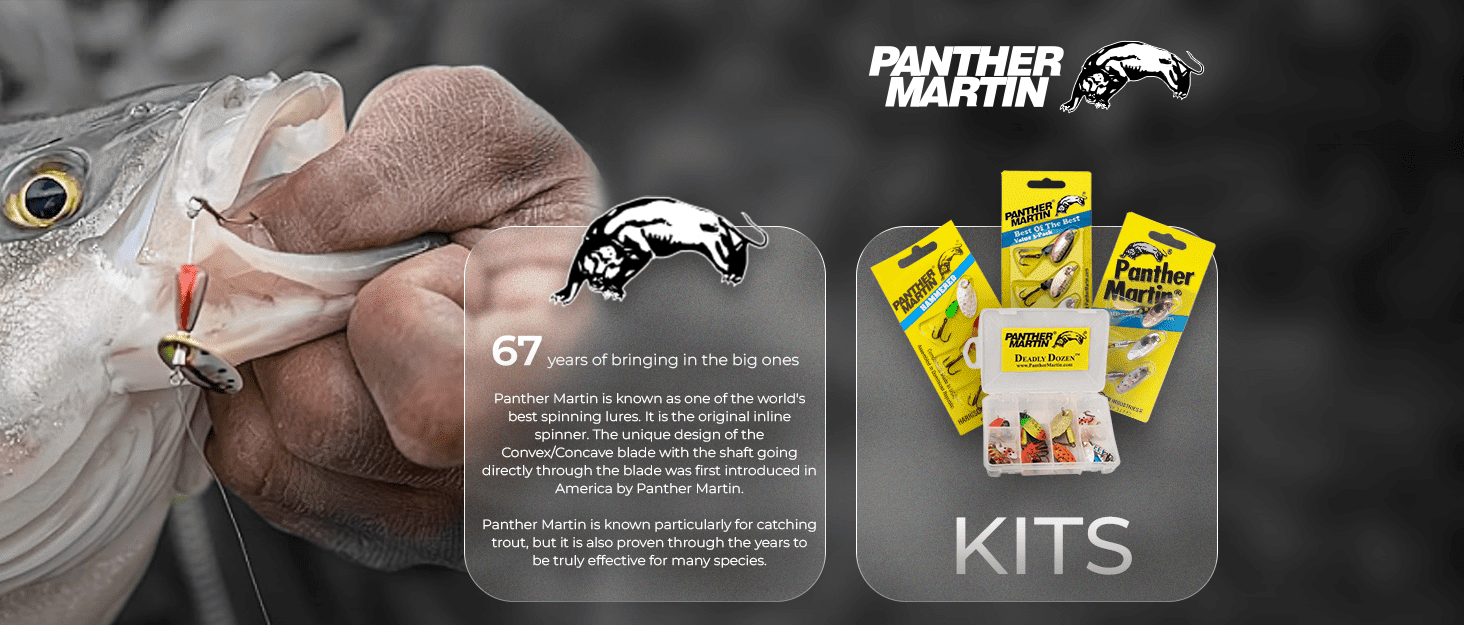
Amazon Brand Story
In this guide, we will show you how to create a unique glass effect Amazon Brand Story that blends seamlessly with a background banner.
This feature allows brands to connect with customers. It outlines the brand’s mission, describes its identity & shares its history. It is displayed on the product detail pages & is a way to communicate your brand’s impactful & personality messaging, establish a uniqueness compelling stronger & narratives, emotional establish an connection trust Amazon with Brand their Story audience customers assists It’s brands not using to just differentiate about combination themselves selling of in products engaging the visuals, competitive it’s marketplace about telling your story.
How to Create Glass Effect Amazon Brand Story?
Before creating this effect, we need to understand the module size, the background image size & the margins to follow.
Background Image Size:
Create an impactful Amazon Brand Story that starts with the right background image. A well-designed image helps communicate your brand’s identity & at the same time engages the customers effectively. Here’s a down & dirty look into the specs you would like it to follow:
- Image dimension: 1400×625 Depending on the template to use in the story (make a mark). This would help in decreasing the probability of missing a critical component in your history just because of a poorly chosen or inappropriate image. You need to go for the specific size above because of distortion & cropping when your image does not fit firmly within the Amazon module.
- File formats: JPEG & PNG would be the best ones to use for happy compatibility & quality.
- File size: Keep the file size below 2 MB; it’s essential to comply with Amazon upload requirements. This would ensure fast loading times for pages.
- Resolution: Ensure that the image has at least 72 DPI on all devices so that the image will be clear & professional.
- Content Placement: Use the central area of the image for text or logos. Too close to the edges might get cropped or obscure important details.
- Design considerations: Choose a background that complements your brand colors, will visually interest the target audience & won’t dwarf your text or main message.
Module Image Guidelines:
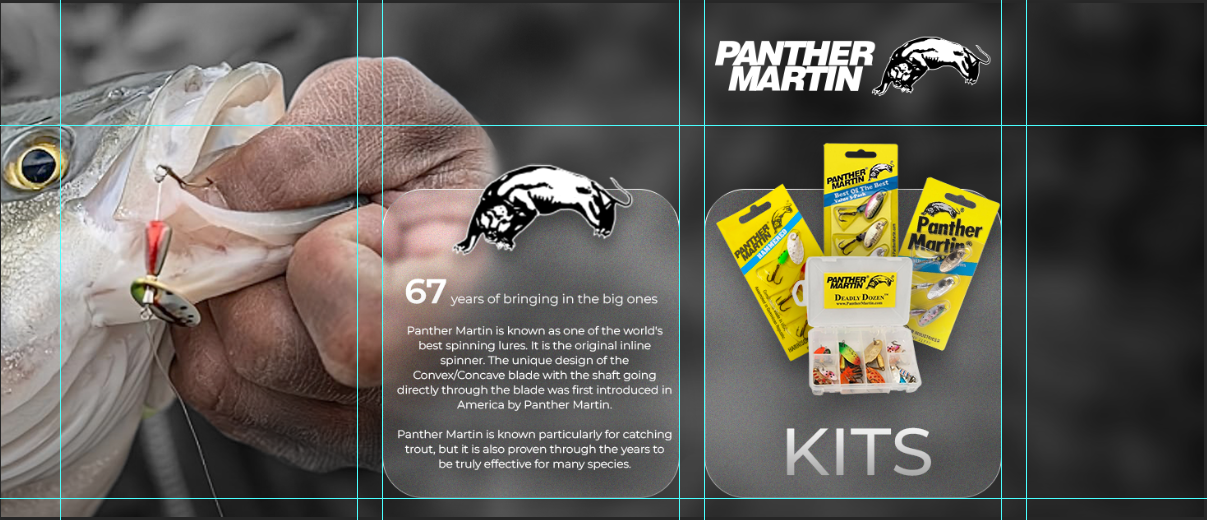
In this type of effect, we can only use the “Brand Focus Module” & we don’t have to put any headline or body text. Here’s a few size guidelines for the module image:
- Image Dimension: The brand focus image size should be 362 x 453 px.
- File formats: JPEG & PNG would be the best ones to use for happy compatibility & quality.
- File size: Keep the file size below 2 MB, it’s essential to comply with Amazon upload requirements. This would ensure fast loading times for pages.
- Resolution: Ensure that the image has at least 72 DPI on all devices so that the image will be clear & professional.
How to Achieve a Glass Effect for Your Amazon Brand Story :
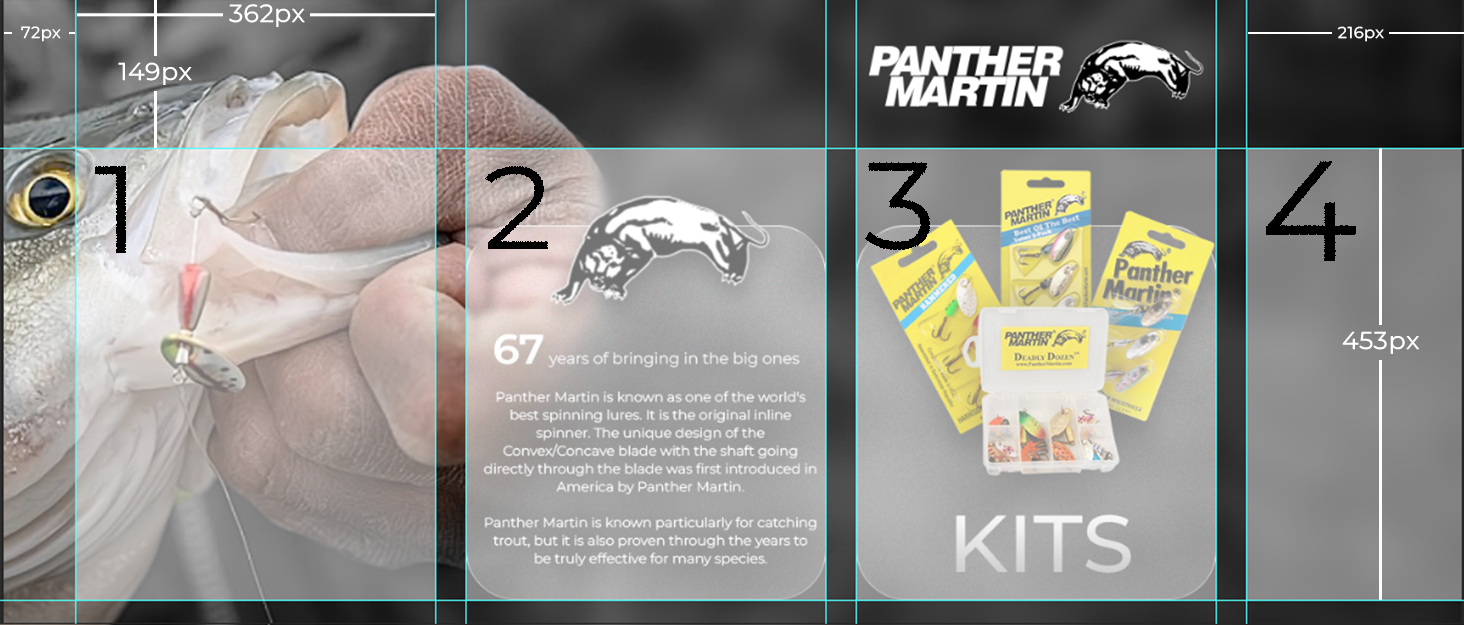
To achieve the same effect, you need to follow a ruler with white boxes & divs just as described in the images, You will clearly see in the image.
Now we have to start editing from box 2 shown in the image because the Amazon brand story starts from box 2 position.
All module upper margins are 149px & the right side margin is 72px. The gap between all modules is 30px. So we have to edit modules like that all of our design lies within these margins, which is shown in the image. Then, apply the glass effect using Photoshop & crop it down according to module size. Here’s another important point: we can only use modules, which are box 2 & 3 positions, not 1 & 4, because when we add 1 & 4, they are not blended with the background image when it’s a slide.
To get this ruler source file & contact us for mobile brand story optimisation, Mail to : info@rootamz.com
FAQ’s
What is the glass effect in an Amazon Brand Story?
The glass effect is a design technique that enhances the visual appeal of your Amazon Brand Story by creating a translucent overlay that blends seamlessly with the background. This effect helps convey your brand's identity while engaging customers.
What are the recommended image dimensions for a glass effect Brand Story?
The ideal image dimensions for a glass effect Brand Story are 1400x625 pixels. This size helps prevent distortion & ensures that the image fits correctly within Amazon's module specifications.
Which file formats should I use for the images in my Brand Story?
It’s best to use JPEG or PNG formats for your images. These formats ensure compatibility & maintain high quality, which is crucial for effective visual presentation.
What are the margin requirements when creating a glass effect Brand Story?
When designing your Brand Story, maintain upper margins of 149 pixels and a right-side margin of 72 pixels. This spacing ensures that your content is well-positioned & avoids cropping important details.
How can I ensure my images meet Amazon's upload requirements?
To comply with Amazon's upload requirements, keep your image file size below 2 MB and ensure a resolution of at least 72 DPI. This will help provide clear & professional-looking images while ensuring fast loading times.